How to submit a bid for a rental
Last updated on 17 Aug 2026
If you've received a rental offer and you're interested in bidding on the contract, simply enter your price and a start date if it's requested. Here's how to do it.
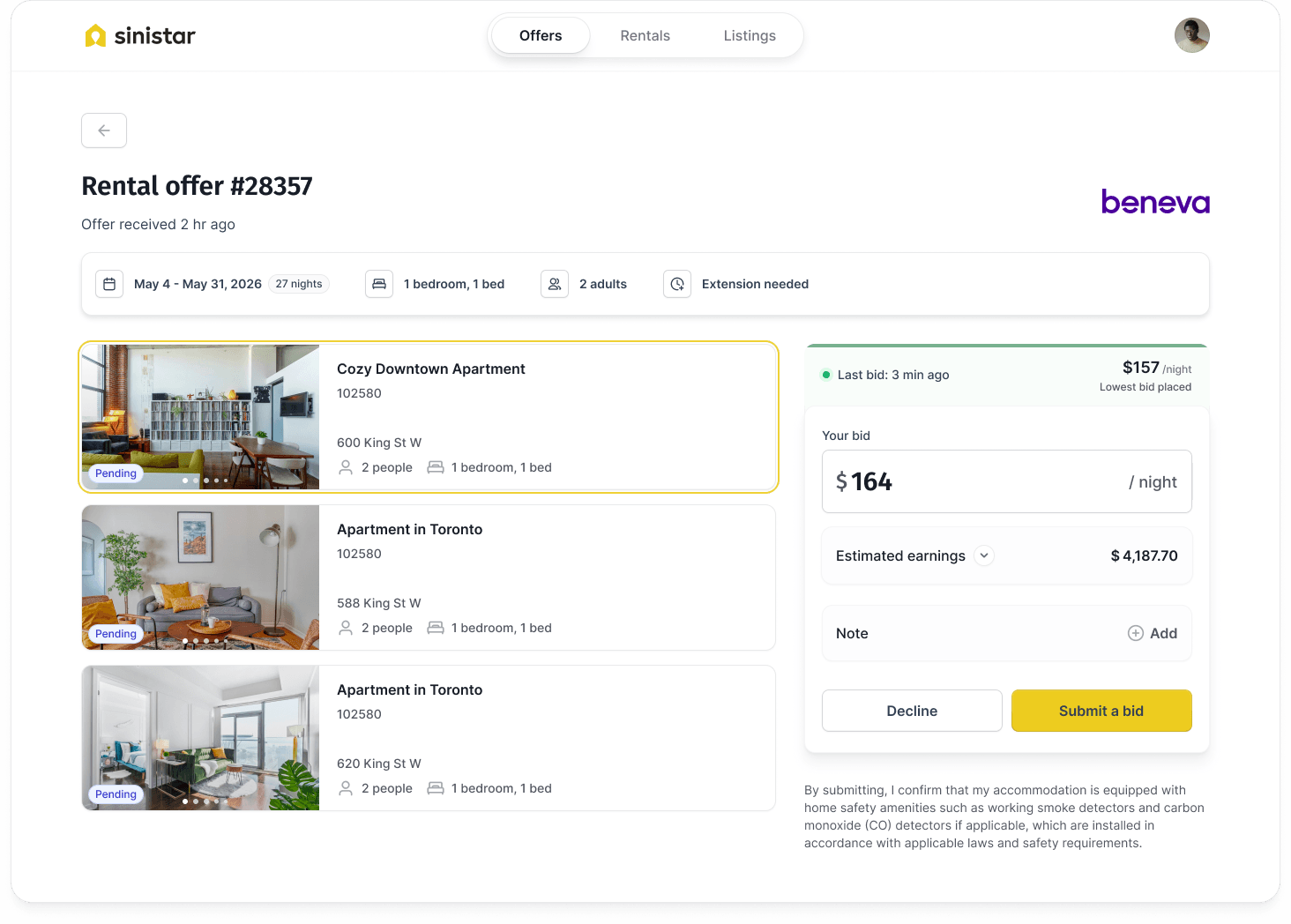
Step 1: Enter price and submit a bid
If the rental offer includes more than one accommodation, each listing has its own price field. For each listing you'd like to bid on, enter a cost per night (all taxes and fees included) and click the Submit a bid button — skip the ones you're not interested in.
As you enter your price, you'll see a real-time calculation of your income after service fees. This is exactly how much we will pay you if you get the rental contract, so make sure you're comfortable with the amount before you submit your bid.
Fore more information: How to set the price for your accommodation
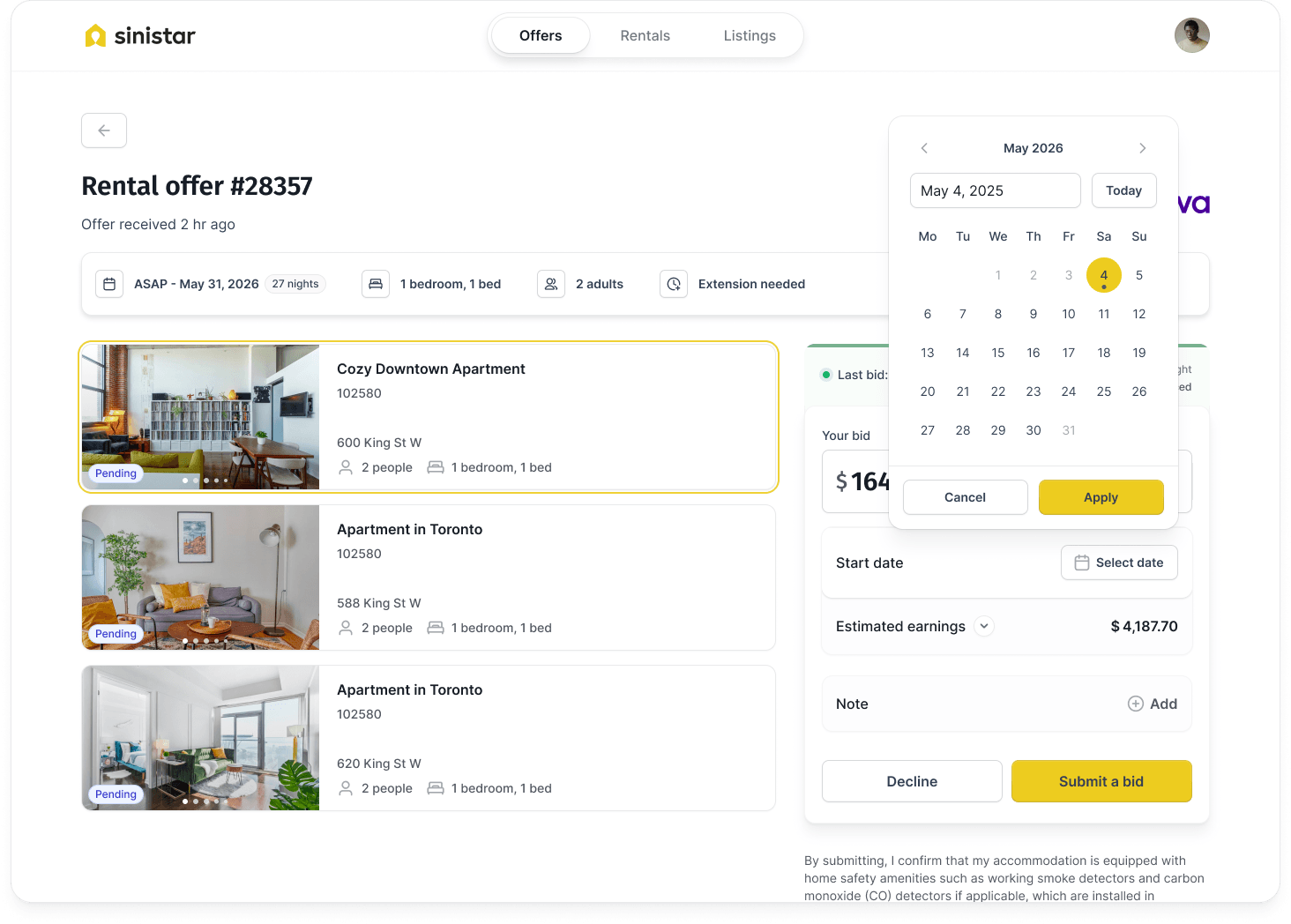
Step 2: If asked, pick a start date
Si le titulaire de police doit se reloger « le plus rapidement possible », vous devrez indiquer la date la plus proche à laquelle votre hébergement sera disponible pour la location. Pour ce faire, cliquez simplement sur le champ de date et sélectionnez une date dans le calendrier.
Step 3: After you submit a bid
Once you've submitted a bid, keep an eye on your inbox — you will receive any news (good or bad) by email. Generally, the insurer makes a decision 1 to 2 business days after the rental offer ends. But it can take longer if the insurer is unable to confirm the rental right away.
While you wait, try to keep your accommodation reserved. We understand that you might be unable to do so for more than a few days. In this case, rest assured — you won't be penalized if you lease your place to someone else, as long as you withdraw your bid before the booking is confirmed.
How to view your submitted quotes
After you've submitted a quote, you can view it (as well as its status) under the 'Offers' tab of your dashboard.